ZazaG Dev / Apps / Desktop apps / Showntask
Showntask
Record your screen and talk. Your own AI agent turns it into tasks, with screenshots. No API keys, no account, no cloud.
WindowsFree and open sourceMIT licence
What's inside
Transcribed on your PC
Whisper runs locally. Nothing is uploaded to transcribe it.
Frames picked for you
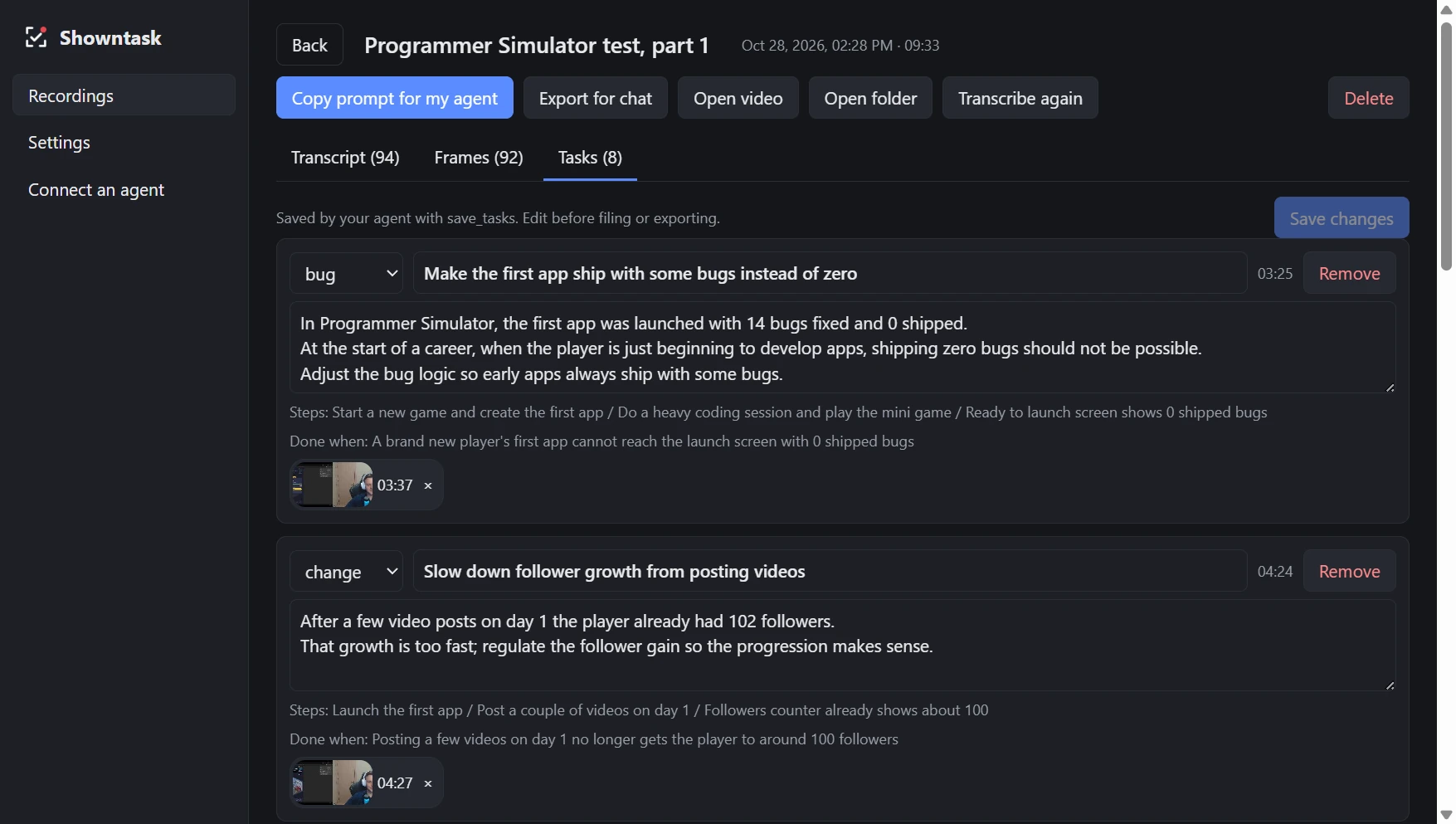
Candidate frames from the video, so each task can carry the screenshot that shows it.
An MCP server
Claude Code, Codex, Cursor, Claude Desktop or any MCP client reads the recording and writes the tasks.
Files them on your board
GitHub Issues, Linear, Jira, Trello, Asana or Azure DevOps, through the connectors you already have.
Mark a moment
Press Ctrl+Alt+K while you talk to mark a point that must become a task.
Import a video
Bring in a recording you already have, from OBS, Loom or a phone.
Talk, then ask your agent
- 1RecordPress Ctrl+Alt+T, drag over the area and talk while you work. Press it again to stop.
- 2It transcribesShowntask pulls out the sound, transcribes it and picks candidate frames in the background.
- 3Ask your agent"Make tasks from my last Showntask recording." It reads the transcript, looks at the frames and shows you the list. Then "file them on GitHub".
Free, today, for Windows.
- Showntask never calls an AI model: your agent does the work on your own subscription.
- No telemetry, no account, no update check. The only download is Whisper, once, on first use.
- The installer is not code-signed yet: if Windows warns, click More info, then Run anyway.